Your Guide to the GCP Free Tier for Developers
Getting started with Google Cloud Platform (GCP) doesn't have to be expensive. In fact, you can do a surprising amount without spending a penny, thanks to the GCP Free Tier. It's not just one single offer but a two-part system designed to give you flexibility whether you're just kicking the tyres or running a small project long-term.
Getting started with Google Cloud Platform (GCP) doesn't have to be expensive. In fact, you can do a surprising amount without spending a penny, thanks to the GCP Free Tier. It's not just one single offer but a two-part system designed to give you flexibility whether you're just kicking the tyres or running a small project long-term.
The Two Sides of the GCP Free Tier
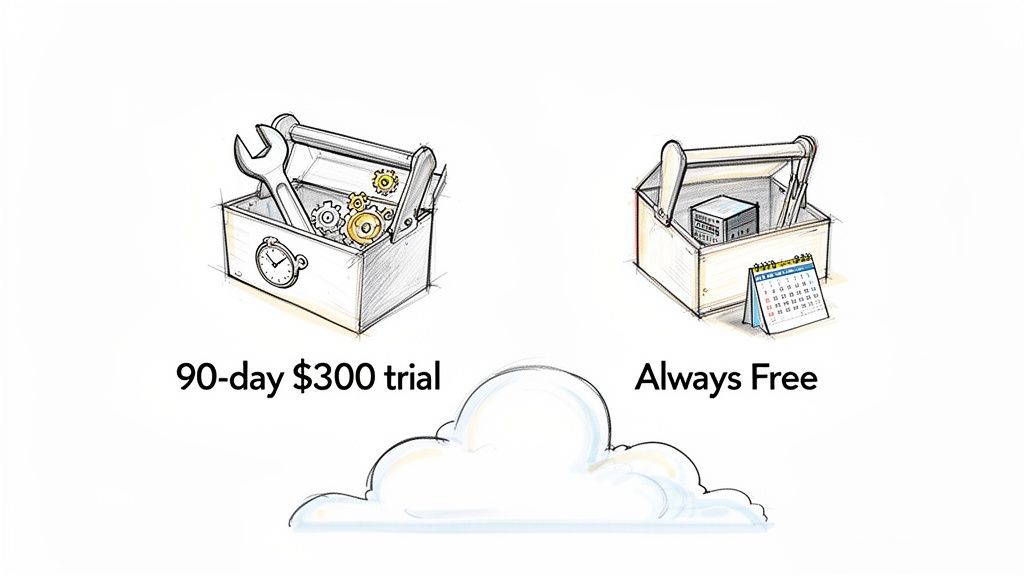
Think of it like this: you get a limited-time, all-access pass for heavy exploration, plus a basic toolkit you can keep forever. Understanding how these two parts work together is the key to unlocking their full potential.
The first part is a 90-day free trial that comes loaded with $300 in credits. This is your chance to experiment with nearly anything and everything GCP has to offer. You can spin up powerful virtual machines, test complex database configurations, or play with AI and machine learning services. It’s perfect for prototyping a big idea or getting hands-on experience across the platform without worrying about the bill.
The second part is the Always Free tier. This isn't a trial. It’s a permanent, no-cost allowance for a specific set of core services that resets every month. As long as you stay within the generous monthly limits, you can run small applications indefinitely for free. This is brilliant for personal projects, simple backends, or hosting a low-traffic website.
GCP Free Tier At a Glance
Here’s a quick breakdown to help you decide which part of the free tier suits your immediate needs.
| Feature | 90-Day Free Trial | Always Free Tier |
|---|---|---|
| Duration | 90 days or until your credits are used, whichever comes first. | Ongoing, with usage limits that reset monthly. It never expires. |
| Value | A generous $300 credit to spend on almost any Google Cloud service. | A specific, non-expiring monthly quota for over 20+ select products. |
| Best For | Short-term, intensive projects, proof-of-concepts, and learning the entire platform. | Long-term, low-usage applications, personal projects, and small-scale production environments. |
| Service Access | Broad access to the full suite of GCP products and services. | Access is limited to a curated list of services, each with its own specific usage cap. |
| Billing After | After 90 days or when credits are depleted, you'll be moved to a standard paid account. | Usage beyond the monthly free limits is charged at standard rates, but the free allowance continues. |
This table shows how the two offers cater to different stages of a project's life cycle, from initial development to long-term hosting.
Making the Most of Both Offers
The real magic happens when you combine the two. A smart approach is to start with the 90-day trial to build and test your application without constraints. You can use the $300 in credits to try different machine types or run performance tests that would normally cost money.
Once you’ve built and fine-tuned your project, you can then scale it down to fit within the limits of the Always Free tier for a completely free, long-term hosting solution. This path from a full-featured trial to a sustainable, cost-free deployment is one of the most compelling reasons developers choose to get started on the Google Cloud website. It lets you build with confidence, knowing you only have to pay when your project truly grows.
Exploring the Always Free Services and Limits
The 90-day trial is great for a test drive, but the real magic of the GCP Free Tier lies in its Always Free services. This isn't some temporary offer that vanishes after three months. Think of it as a permanent set of tools and resources, complete with monthly usage limits, that you can count on for your smaller projects. Best of all? It costs you nothing.
This is where you can confidently build and run applications month after month without ever seeing a bill, as long as you play within the resource quotas. It’s an absolutely brilliant setup for personal blogs, portfolio sites, small API backends, or even dedicated development environments.
Core Compute and Storage Allowances
At the heart of the Always Free tier, you'll find the essentials: compute and storage. These are the building blocks for just about any cloud project, whether you're hosting a simple static site or storing files uploaded by users. Google gives you enough runway here to handle a lot of common scenarios without ever opening your wallet.
Here’s a breakdown of what’s on the table:
- Compute Engine: You get one e2-micro VM instance every month. This little workhorse has to be located in one of the specific US regions (Oregon, Iowa, or South Carolina), but it’s perfect for running a lightweight web server, a small database, or a continuous integration runner.
- Cloud Storage: The free plan includes a handy 5 GB of Standard Storage each month. This is more than enough for static website assets, user uploads, or backups. You also get generous limits on operations: 5,000 Class A operations (like creating new buckets) and 50,000 Class B operations (like fetching files).
That 5 GB of storage is a real gem for developers managing images. You could store your high-resolution originals in a Cloud Storage bucket and use a service like Pixel Fiddler to serve optimised versions to your site. This simple trick can seriously boost your site's performance, which is a big deal for Core Web Vitals. If you're looking to speed things up, our guide on improving web core vitals and page speed is a great place to start.
The diagram below gives you a quick visual summary of some of the key services you get for free, forever.
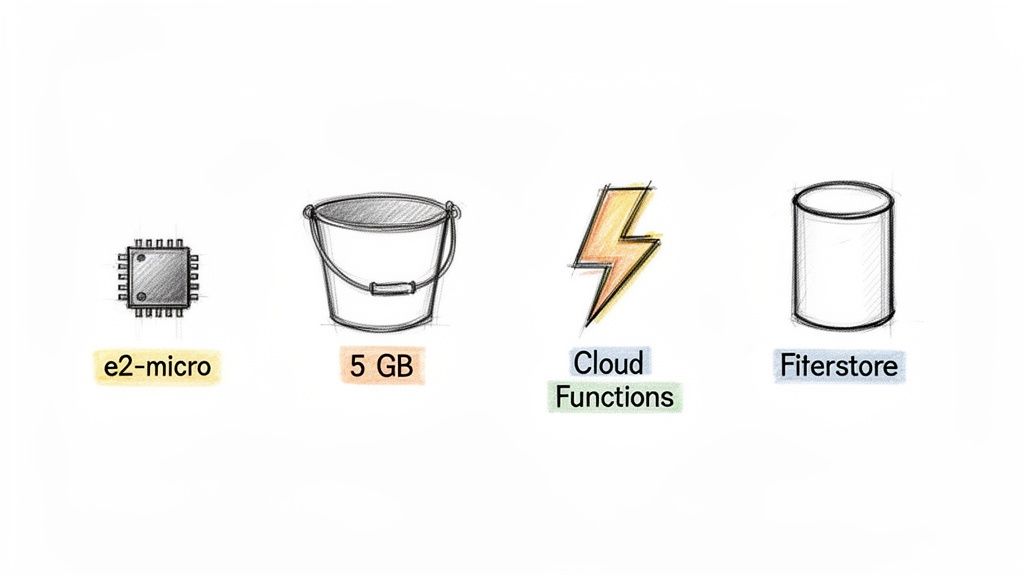
As you can see, it’s not just about VMs and basic storage. Google throws in some powerful serverless and database options, too.
Serverless and Database Services
Beyond the basics, the GCP Free Tier opens the door to modern, serverless architectures. These services are fantastic because they let you build applications that scale automatically without you ever having to think about managing servers.
This shift to serverless mirrors what's happening across the industry. According to one report, 94% of enterprises are using the cloud in some capacity, and 70% are now building new things on cloud-native services by default (Source: AAG IT Services). It's all about moving faster and more efficiently.
Here are the key serverless and database freebies:
- Cloud Functions: You get an incredible 2 million invocations per month for free, covering both background jobs and HTTP-triggered functions. That’s more than enough to power a solid API for a moderately busy app.
- Cloud Run: If you work with containers, you’ll love this. The free tier includes 2 million requests per month to run your stateless containers, along with plenty of CPU and memory to get the job done.
- Firestore: This is Google’s flexible, scalable NoSQL document database. Your free allowance includes 1 GiB of storage and some very generous daily quotas for reads (50,000), writes (20,000), and deletes (20,000).
These aren’t just abstract numbers; they translate to serious real-world capacity. Two million Cloud Function invocations, for example, is enough to handle a new request every four seconds, 24/7, all month long.
Key Takeaway: The Always Free tier is built to be genuinely useful for the long haul. You can easily combine the e2-micro VM for a backend task, Cloud Storage for your files, and Firestore for your data to build a complete, multi-part application that runs for exactly zero cost.
This mix of compute, storage, and serverless power makes the GCP Free Tier an incredible starting point. It gives you all the fundamental pieces to launch and run small projects without any financial risk, letting you focus on what really matters: building something great.
Squeezing Every Penny from Your $300 Free Trial
Think of the $300 in free credits as your all-access pass to the full Google Cloud playground for 90 days. This is where you can really open up the throttle and go way beyond the limits of the Always Free tier, test-driving some of GCP’s most powerful services without touching your wallet. It's the perfect setup for validating a startup idea or just levelling up your cloud skills.
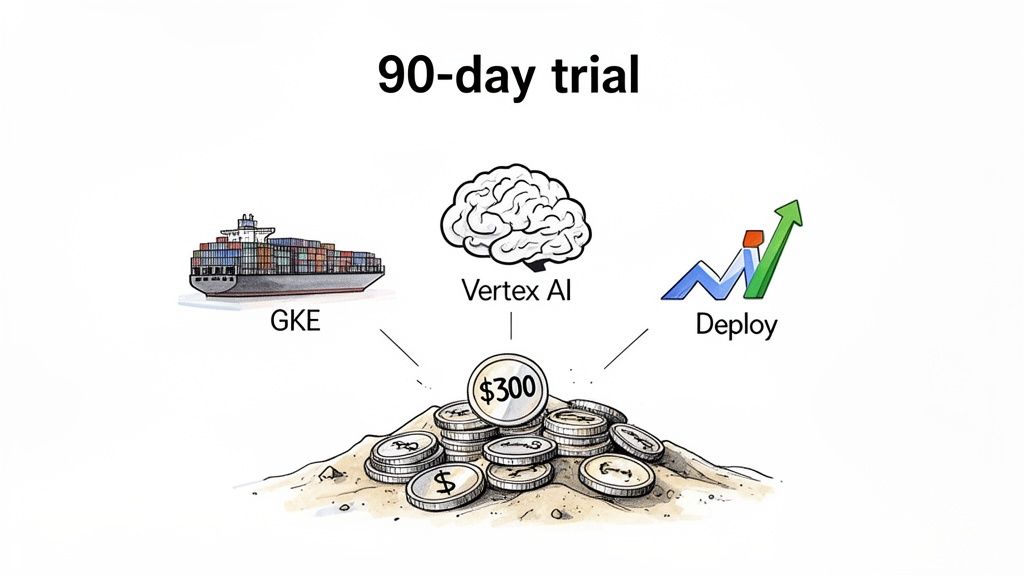
Getting started is simple. When you first sign up for Google Cloud, it will ask for a payment method. This is purely for verification; they need to know you're a real person. Rest easy, because you won't be charged a thing unless you consciously decide to upgrade to a paid account later. Once you're verified, the $300 credit lands in your account, and the 90-day clock starts ticking.
Strategies for Maximising Your Credits
With a decent chunk of change and a three-month window, the worst thing you can do is let it go to waste. A common mistake is spinning up resources and then forgetting about them. To really get your money's worth, you need a plan.
I always recommend focusing on services that aren't part of the Always Free tier. This is your golden ticket to see how enterprise-grade tools could fit into your projects.
Here are a few ideas to get you thinking:
- Launch a Containerised App: Fire up a small Google Kubernetes Engine (GKE) cluster. This is a fantastic way to get your hands dirty with container orchestration, learning how the pros manage and scale applications.
- Train a Custom AI Model: Dive into the world of machine learning with Vertex AI. You can use your credits to process a dataset, train a bespoke model, and deploy it as a live endpoint.
- Run Big Data Analytics: Experiment with BigQuery, Google’s massive, serverless data warehouse. Try loading a hefty dataset and running some complex analytical queries to see just how powerful it is.
- Build a Resilient Web Service: See how GCP handles high availability by setting up a multi-region load balancer and a managed instance group. It’s a great way to understand fault tolerance in the real world.
For anyone working with websites heavy on images, the trial is also the perfect time to explore advanced media workflows. You could store original images in Google Cloud Storage and use a service to perform real-time optimisations. For example, you can experiment with converting images to next-gen formats, which can give your page load times a serious boost. If that sounds interesting, you should check out our tool for converting from PNG to AVIF.
What Happens When the Clock Runs Out?
Knowing what to expect when your trial ends is key to avoiding any unwanted surprises. The good news is that Google Cloud has a built-in safety net to prevent accidental bills.
Once your 90-day period is up or you’ve used the entire $300 credit (whichever comes first), your account is simply paused. All your running resources will be stopped, and you will not be automatically billed for anything.
Important Note: You have to explicitly upgrade to a paid account to continue using GCP. If you do nothing, you get charged nothing. This design gives you the freedom to experiment without worrying about a bill showing up out of the blue.
If you decide Google Cloud isn't for you, just let the trial expire. If you want to keep going, upgrading is just a click away in the Google Cloud Console. From that point on, you’ll be on a standard pay-as-you-go plan, but you'll still get the monthly benefits of the Always Free tier. It’s a really smooth way to transition from trial to a sustainable, long-term setup.
How Does the GCP Free Tier Stack Up Against AWS and Azure?
When you’re first dipping your toes into the cloud, the free tier is your playground. While the big three—Google Cloud, Amazon Web Services (AWS), and Microsoft Azure—all roll out the welcome mat, they do it in very different ways. Understanding these nuances is crucial because they can directly shape how you experiment, build, and test your ideas.
The most immediate difference you'll notice is how they structure their introductory offers. Both AWS and Azure lean into a 12-month free tier model. This gives you long-term access to a specific menu of services, each with its own monthly usage cap. It’s a great setup if you want to learn a platform over a year or if your project idea fits neatly within those predictable, low-level resource limits right from the start.
Google Cloud, however, plays a different game. Instead of a year-long trickle of specific services, the GCP Free Tier gives you a powerful, flexible burst of resources right out of the gate.
A Tale of Two Trial Models
At the heart of GCP’s trial is a hefty pile of credit. Google Cloud hands you $300 in free credits** to spend however you like over 90 days. This is a stark contrast to AWS's credit-free 12-month tier and Azure's hybrid approach, which offers a **$200 credit for the first month alongside its own 12-month free tier.
This credit-based system is a game-changer for developers who need to run serious proof-of-concept projects. You aren't boxed into a small selection of services; you can spin up powerful compute instances, tap into advanced AI and machine learning APIs, or run massive data analytics jobs. It’s perfect for projects that need a short, intense burst of computing power, making it a huge advantage for more ambitious experiments. For a deeper dive, you can read a full cloud pricing comparison on effectivesoft.com.
The 'Always Free' Philosophy
Once the initial trial period is over, the "Always Free" tier is what provides long-term value for smaller applications and hobbies. All three providers offer a set of resources that won't cost you a penny, but the devil is in the details.
Let's break down how the big three compare when it comes to free offerings.
Cloud Provider Free Tier Comparison
| Provider | Free Trial Credit | Trial Duration | Key 'Always Free' Highlight |
|---|---|---|---|
| Google Cloud | $300 | 90 days | One e2-micro VM, 5 GB Cloud Storage, 2M Cloud Functions calls |
| AWS | None | 12-month Free Tier | 750 hours t2.micro/t3.micro, 5 GB S3 Storage, 1M Lambda requests |
| Microsoft Azure | $200 | 30 days + 12-month Free Tier | 750 hours B1s VM, 5 GB Blob Storage, 1M Functions requests |
At first glance, the offerings might seem similar, but GCP's Always Free tier often packs a bigger punch where it counts for developers. Take serverless functions, for example. Google provides 2 million monthly invocations for Cloud Functions, which is double what AWS Lambda and Azure Functions offer. That extra headroom can be the difference between a free hobby project and a surprise bill for a small API backend.
This is especially true for media-heavy sites. A developer could use the free 5 GB of Google Cloud Storage for original images and pair it with a service like Pixel Fiddler. This setup lets you serve perfectly optimised images on the fly, which is a fantastic way to improve your Core Web Vitals and page speed without spending anything.
Key Insight: GCP’s model gives you a big, flexible credit upfront, which is ideal for intense experimentation. Its Always Free tier then follows up with generous, developer-friendly limits for long-term projects. In contrast, AWS and Azure offer a longer, more structured on-ramp that’s focused on a specific set of services.
Ultimately, deciding which free tier is best really comes down to what you want to achieve. If you need maximum freedom to test a wide range of powerful services quickly, GCP's $300 credit is tough to beat. But if you're planning a slow, steady build that fits neatly within a pre-defined set of resources, the 12-month models from AWS or Azure might be a more natural fit.
Real-World Projects You Can Build for Free
Knowing the limits of the GCP Free Tier is one thing, but the real fun begins when you start building with it. So, let's look at some practical projects you can spin up today using only the 'Always Free' resources. These examples show how to cleverly combine different services to create fully functional applications without ever reaching for your wallet.
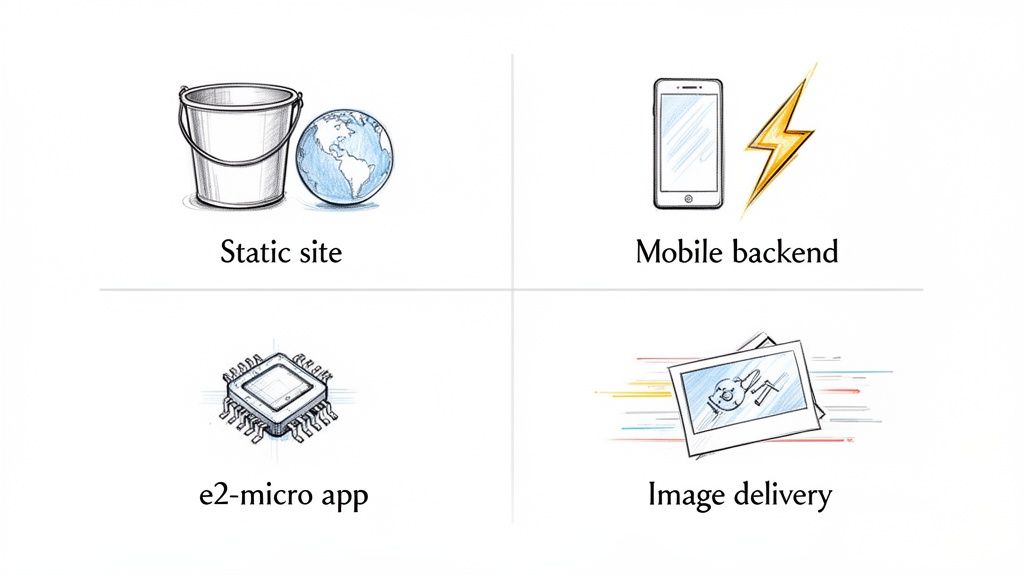
Host a Blazing-Fast Static Website
One of the most straightforward and popular uses for the free tier is hosting a static website. Think portfolios, blogs, or a landing page for a small business. By using Google Cloud Storage, you can serve your HTML, CSS, and JavaScript files directly to your visitors at incredible speeds.
- Cloud Storage: Your free 5 GB of Standard Storage is more than enough to hold all your website's assets. You simply configure a storage bucket to behave like a web server, making your content public.
- Cloud DNS: You'll still need to buy a domain name, but you can manage all its DNS records for free on Google's rock-solid infrastructure.
This setup is surprisingly robust. It can handle traffic spikes that would bring down a typical shared hosting plan, and because you're just serving static files, the performance is fantastic—a great boost for your SEO and user experience.
Power a Serverless Mobile App Backend
If you're a mobile developer, the GCP Free Tier gives you everything you need to build a powerful, scalable backend without ever thinking about servers. This serverless approach lets you concentrate on what matters: your code and your users' experience.
- Cloud Functions: With a massive 2 million free invocations each month, you can build a complete API to handle things like user sign-ups, data processing, and other core logic.
- Firestore: This is where your app's data lives. The free tier gives you 1 GiB of storage plus generous daily quotas for reads (50,000) and writes (20,000), which is plenty for most new apps.
What you get is a backend that scales automatically. As more people use your app, you only start paying once you cross those generous free limits. It’s a beautifully cost-effective way to get your app off the ground.
Run a Small Containerised Application
Got a project built with containers? You can run it 24/7 on the free e2-micro virtual machine. This is perfect for a small microservice, a personal Discord or Slack bot, or any lightweight web app that needs to be always-on.
With a bit of creativity, the GCP Free Tier becomes a powerful launchpad. It provides the essential building blocks for developers to create and deploy real applications, moving from idea to execution with zero financial friction.
Here’s how you’d do it:
- Build your container image: First, package up your application using Docker.
- Push it to Artifact Registry: You get 0.5 GB of free storage in Google's private registry to store your container images.
- Deploy on Compute Engine: Finally, fire up your free e2-micro VM and run the container on it. Just like that, you have a persistent environment for your app.
Create an Efficient Image Delivery System
Slow-loading images are a website killer. The GCP Free Tier is brilliant for setting up a professional-grade image delivery pipeline that will seriously improve your site's Core Web Vitals.
The idea is to store your original, high-resolution images in Cloud Storage and then use an image optimisation service, like Pixel Fiddler, to handle the rest. The service grabs the original image and, on the fly, resizes it, compresses it, and converts it to a modern format like AVIF or WebP before serving it to the user via a global CDN.
Here’s the simple workflow:
- Store Originals: Upload your master images into your free 5 GB Cloud Storage bucket.
- Connect and Transform: Point an image API service at your bucket. The URL structure would look something like
https://media.pixel-fiddler.com/my-source/media/my-image.jpg. - Deliver Optimised Images: Update the
<img>tags on your website to use the new URLs from the service.
This simple change can drastically cut down page load times and bandwidth. It's a professional setup that costs nothing to implement but gives your users a much zippier experience. If you’re using a modern framework, our guide on Next.js image optimisation techniques can show you even more advanced strategies.
How to Avoid Surprise Bills and Manage Your Costs
Nothing kills the buzz of a free cloud platform faster than an unexpected bill showing up in your inbox. Let's be honest, the key to really making the most of the GCP Free Tier is being proactive. It's surprisingly easy to slip up—maybe you accidentally go over the Always Free limits, forget to shut down a beefy VM after the 90-day trial ends, or get caught off guard by less obvious costs like data transfer fees.
Think of this section as your practical guide to keeping your cloud spend exactly where you want it: zero. I'll walk you through the essential tools and habits you need to get a handle on costs from day one. That way, you can focus on building cool stuff without that nagging worry in the back of your mind.
Set Up Billing Alerts and Budgets
Your first line of defence, and arguably the most important, is setting up billing alerts. Google Cloud gives you a straightforward way to create budgets that ping you when your spending even gets close to a limit you've set. You can even set a budget for just a few pennies to get a super early warning if any service starts to rack up charges.
It’s like putting a smoke alarm in your cloud account. You hope you never need it, but you'll be damn glad it's there if you do.
Here's a look at the budget creation screen right inside the Google Cloud Console.
As you can see, you can scope a budget to your entire billing account and set specific alerts to trigger when you hit 50%, 90%, and 100% of whatever amount you choose.
To get this set up, just head over to the "Billing" section in your Cloud Console, find "Budgets & alerts," and click "Create budget." You can have it send email notifications to yourself or your whole team, keeping everyone in the loop. A solid best practice is to set an extremely low budget—think $1—for your free tier projects. The second any charge pops up, you'll know.
Keep an Eye on Your Usage
Automated alerts are great, but it's still smart to pop into your usage dashboards from time to time. The Google Cloud Console gives you detailed reports breaking down exactly which services are using what resources. Try to make a habit of glancing at these reports, especially during your 90-day trial when you're likely test-driving more powerful (and normally paid) services. This helps you quickly spot any usage that’s creeping outside the Always Free limits.
For anyone working with media files, keeping a close watch on storage and data transfer is crucial. While you might use tools that offer free image hosting to manage your assets, you still need to be aware of the bandwidth used to deliver them.
Pro Tip: When your $300 free trial credit runs out, Google Cloud automatically puts your account on hold to prevent any charges. You have to manually upgrade to a paid account to keep going. This is a fantastic safety net that saves you from getting billed by accident.
By pairing automated budget alerts with regular manual check-ins, you build a pretty foolproof system for managing costs. This two-pronged approach lets you explore everything the GCP Free Tier has to offer without the fear of that dreaded surprise invoice, so you can build and experiment with confidence.
Got Questions About the GCP Free Tier? We've Got Answers
Diving into any cloud platform's free offerings can feel a bit like reading the small print. You're excited, but you want to be sure you know what you're getting into. Let's clear up some of the most common questions developers have about the GCP Free Tier.
Do I Really Need to Give My Credit Card Details?
Yes, you do. But before you get worried, this is purely for identity verification. Google uses it to make sure you're a real person and to prevent people from creating endless free accounts.
You will not be charged a penny unless you actively decide to upgrade to a paid account once your trial is over. Think of it as a security deposit you don't actually have to pay.
What Happens When My $300 Free Trial Runs Out?
When your 90-day trial ends, or you've burned through the $300 credit, your account is automatically paused. This is a fantastic safety net that prevents any unexpected bills from showing up.
Your services will simply stop running. Nothing gets deleted right away, but you won't incur any more costs until you manually choose to upgrade your account. No surprise charges, guaranteed.
Can I Use the GCP Free Tier for a Real, Live Project?
Absolutely! The Always Free tier is perfect for commercial projects, provided you stay within the monthly limits. It's a brilliant way to host a small-scale application without spending anything.
Many developers use it to run a startup's first website, a backend for a mobile app, or a personal portfolio. As long as your usage doesn't exceed the free quotas, you're good to go.
How Do I Keep an Eye on My Free Usage?
Keeping track of your consumption is straightforward. Just head over to the billing dashboard inside the Google Cloud Console.
It gives you a detailed breakdown of everything you're using. You can easily see how much of your trial credit is left or how close you are to hitting the monthly limits for the Always Free services.
Ready to serve lightning-fast, perfectly optimised images without worrying about infrastructure? PixelFiddler connects directly to your cloud storage, including Google Cloud, to deliver stunning visuals that boost your page speed and improve user experience. Start optimising for free and see the difference. Learn more at https://pixel-fiddler.com.