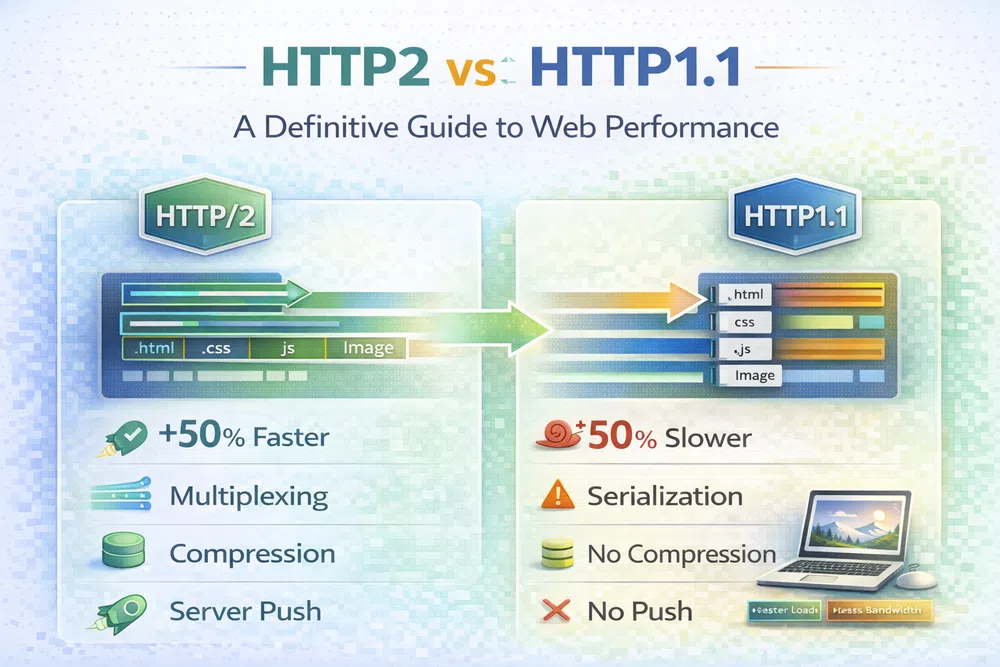
HTTP2 vs HTTP1.1 A Definitive Guide to Web Performance
When you get right down to it, the difference between HTTP/2 and HTTP/1.1 boils down to two things: speed and efficiency. HTTP/2 is significantly faster because it can juggle multiple requests and responses simultaneously over a single connection. By contrast, HTTP/1.1 has to deal with them one by one, which is a huge bottleneck for modern websites. This new approach speeds up page loads, and the difference is most noticeable on sites loaded with images.
When you get right down to it, the difference between HTTP/2 and HTTP/1.1 boils down to two things: speed and efficiency. HTTP/2 is significantly faster because it can juggle multiple requests and responses simultaneously over a single connection. By contrast, HTTP/1.1 has to deal with them one by one, which is a huge bottleneck for modern websites. This new approach speeds up page loads, and the difference is most noticeable on sites loaded with images.
The Evolution from HTTP/1.1 to HTTP/2

The web has come a long way since HTTP/1.1 was standardised back in 1997. In those days, websites were pretty simple—just some basic HTML and a handful of small images. The protocol was built for that reality, but it’s completely outmatched by today’s web, which is packed with high-resolution images, complex scripts, and layers of stylesheets.
This complexity really highlighted the core weakness of HTTP/1.1. Its design forces a browser to request files sequentially over each TCP connection, creating a queue. If one file is slow to download, everything else gets stuck waiting behind it. This phenomenon is known as head-of-line (HOL) blocking, and it's a primary culprit for slow page loads.
Developers came up with some clever workarounds, like domain sharding and image spriting, but they were really just hacks. While they helped, they also added a lot of complexity and came with their own performance costs.
Why a New Protocol Was Necessary
As the web grew, it became obvious that we needed a more efficient foundation. Patching up HTTP/1.1 wasn't going to cut it in the long run. The internet needed a protocol designed from the ground up for parallelism and speed, which is exactly what led to HTTP/2.
HTTP/2 wasn't just a minor update; it was a fundamental redesign. It was created specifically to fix the performance problems that plagued its predecessor by introducing features built for the demands of today's media-heavy web.
The primary goal of HTTP/2 was to reduce latency by enabling full request and response multiplexing, minimising protocol overhead via efficient compression of HTTP header fields, and adding support for request prioritisation and server push.
A Modern Solution for a Modern Web
This shift from old to new has a direct impact on performance metrics and search engine optimisation. Faster loading times create a better user experience, which Google heavily factors into its rankings.
A well-optimised site that delivers its assets quickly will almost certainly see improvements in its Core Web Vitals, particularly for metrics like Largest Contentful Paint (LCP) and First Contentful Paint (FCP). If you want to get into the weeds on this, our guide to mastering FCP is a great place to start. For more tips, learn about improving page speed with faster images.
The table below gives you a quick rundown of the problems HTTP/2 was built to fix.
| Challenge with HTTP/1.1 | How HTTP/2 Solves It | Key Benefit |
|---|---|---|
| Head-of-Line Blocking | Multiplexing allows multiple requests at once. | Eliminates unnecessary waiting and speeds up asset delivery. |
| Multiple TCP Connections | Uses a single, persistent connection for all assets. | Reduces server and network overhead, improving efficiency. |
| Text-Based Protocol | Uses a binary protocol for lighter, faster parsing. | More efficient and less error-prone for machines to process. |
| Repetitive Headers | Compresses headers to reduce data transfer size. | Minimises redundant data, which is crucial for mobile performance. |
The transition from HTTP/1.1 to HTTP/2 is more than just a version bump. It represents a fundamental change in how browsers and servers communicate—one that directly affects everything from your page speed to your bottom line.
Core Protocol Differences: HTTP/2 vs HTTP/1.1

To really get why HTTP/2 is so much faster, we have to look past the surface and dig into its architecture. The changes from HTTP/1.1 aren't just small adjustments; they represent a complete rethink of how browsers and servers should talk to each other. The goal was to systematically dismantle the bottlenecks that made the old web feel slow.
The biggest leaps forward are in how HTTP/2 handles connections, requests, and all the metadata that comes with them. Let's break down the four key innovations that give it a serious advantage, especially for sites loaded with images and other media.
Single Connection and Stream Multiplexing
The absolute game-changer in HTTP/2 is multiplexing. With HTTP/1.1, a browser had to request files one by one over a single TCP connection. If a large hero image was downloading, every other asset—CSS files, JavaScript, smaller icons—was stuck in a queue behind it. This is the infamous "head-of-line blocking" problem.
HTTP/2 completely tears down that wall. It allows dozens of requests and responses to happen at the same time over a single TCP connection. It works by breaking everything down into small, independent chunks of data called frames, each tagged with a unique stream ID.
A simple analogy makes it clear:
- HTTP/1.1 is a single-lane country road. A slow tractor (your large image) can back up traffic for miles.
- HTTP/2 is a multi-lane motorway. Fast cars and slow lorries all travel at the same time in their own lanes, without getting in each other's way.
For image-heavy websites, this is revolutionary. A browser can ask for the main banner, the company logo, and a dozen product thumbnails all at once, and they all start downloading immediately instead of waiting their turn.
A Faster, More Efficient Binary Protocol
Another fundamental shift is the move from a text-based protocol to a binary one. HTTP/1.1 sends its commands and headers as plain text. While that's easy for a human to read, it's surprisingly clumsy for a machine to parse, which has to deal with whitespace and line endings that can create ambiguity.
HTTP/2 communicates using binary frames. All messages are pre-defined, compact, and built for machine-speed processing. This format is far more direct and less error-prone for computers, leading to faster parsing on both the client and the server. It’s a subtle but powerful change that helps cut down latency.
Smart Header Compression with HPACK
Every time your browser requests something, it sends a bunch of headers containing metadata—cookies, browser type, accepted formats, and so on. In HTTP/1.1, these headers are sent over and over again with every single request, much of it completely redundant. For a page loading 100 assets, that's a lot of wasted data.
HTTP/2 introduces HPACK compression, a clever method designed specifically to shrink this header overhead. It uses a dynamic table to track common header fields, avoiding the need to resend them, and then applies Huffman coding to compress what's left.
This has a massive impact. According to Google’s research, HPACK can slash request header size by an average of 88%. That frees up bandwidth for the content that actually matters, like your images.
Proactive Resource Delivery with Server Push
Finally, HTTP/2 brought a feature called Server Push, which lets a server send resources to the browser before it even knows it needs them. For example, when a browser requests the main index.html file, a smart server knows it will immediately need style.css and logo.png to render the page correctly.
With Server Push, the server can "push" those essential files along with the initial HTML, saving the browser from having to parse the HTML and then make new requests. While its practical implementation has been tricky and its benefits can be situational, the concept underscores the protocol's relentless focus on reducing round trips and latency.
To put it all together, here’s a direct comparison of the old and new approaches:
HTTP/1.1 vs HTTP/2 Feature Comparison
This table summarises the core technical upgrades that HTTP/2 introduced to overcome the limitations of its predecessor.
| Feature | HTTP/1.1 Approach | HTTP/2 Solution | Performance Impact |
|---|---|---|---|
| Connection Handling | Multiple TCP connections; head-of-line blocking per connection. | A single TCP connection with multiplexed streams for parallel requests. | Dramatically reduces latency and eliminates blocking, speeding up page loads. |
| Data Protocol | Plain text format, which is verbose and slower to parse. | Binary protocol with frames, making it compact and efficient for machines. | Faster parsing on both client and server, reducing network overhead. |
| Header Management | Uncompressed, repetitive headers sent with every request. | HPACK compression with a dynamic table to eliminate redundant data. | Significantly reduces metadata overhead, freeing up bandwidth for content. |
| Resource Loading | Reactive: The browser requests resources as it discovers them. | Proactive: Server Push can send needed assets before they are requested. | Minimises round-trip delays for critical assets, accelerating initial rendering. |
Each of these changes in HTTP/2 was a direct response to a real-world performance bottleneck in HTTP/1.1. Together, they create a much faster, more efficient, and more resilient protocol for the modern web.
How Your Protocol Choice Affects Core Web Vitals
The technical theory behind HTTP/2 isn't just an abstract improvement; it delivers real, measurable gains that directly impact Google's Core Web Vitals. These metrics matter because they quantify user experience. A faster protocol can be the difference between a site that feels snappy and one that feels sluggish, especially when it’s loaded with images.
If you look at how an image-heavy page loads under each protocol, the difference is stark.

With HTTP/1.1, the waterfall chart shows that classic stair-step pattern. Each request for an image or script often waits for the previous one to finish, creating a long, slow cascade of downloads. This is sequential loading, and it introduces a ton of latency, pushing back the moment any meaningful content actually appears on the screen.
In sharp contrast, an HTTP/2 waterfall chart looks completely different. Because of multiplexing, all the requests are fired off in parallel over a single connection. The chart becomes a series of overlapping bars that start at almost the same time, which dramatically shortens the total load time. This is exactly the kind of efficiency Core Web Vitals are designed to measure.
Boosting Largest Contentful Paint (LCP)
Largest Contentful Paint (LCP) measures how long it takes for the biggest image or text block in the viewport to show up. For most sites today, this is usually the hero image or a main product photo. Under HTTP/1.1, if that critical image gets stuck in a queue behind other assets, the LCP score takes a huge hit.
HTTP/2's parallel requests mean the browser can ask for that hero image right away, no waiting necessary. This ability to prioritise and download key visual content at the same time results in a much faster render time for the most important element on the page, directly improving your LCP.
Accelerating First Contentful Paint (FCP)
Likewise, First Contentful Paint (FCP) marks the very first moment any content is rendered on the screen. A slow FCP makes a site feel broken or unresponsive. HTTP/2's efficient connection management and header compression deliver initial assets like CSS files and logos much more quickly. You can explore this metric in more detail in our guide on mastering FCP.
This speed-up ensures the browser can start painting pixels sooner, giving the user immediate visual feedback and improving this crucial metric.
By getting rid of the request queues that defined HTTP/1.1, HTTP/2 lets critical rendering assets download in parallel. This directly cuts down the time to both FCP and LCP, helping sites meet Google’s recommended performance thresholds.
Real-world data backs this up. A 2020 study by Portent found that while HTTP/2 offered a 5% speed improvement on average, this gain jumped to nearly 20% for websites with many resources. A separate analysis on the Akamai CDN showed that for high-latency connections, like mobile networks, HTTP/2 delivered pages 40-50% faster than HTTP/1.1.
Ultimately, moving from HTTP/1.1 to HTTP/2 isn't just a technical update; it's a strategic move to build a better user experience. The protocol was designed specifically to fix the bottlenecks that hurt Core Web Vitals, making it a foundational piece of any modern performance strategy. For sites where images are everything, the impact is even more profound.
Rethinking Image Optimisation Strategies for HTTP/2
Moving to HTTP/2 isn't just a server-side tweak; it forces a complete rethink of how we handle web performance, especially with images. Many of the old "best practices" we relied on for HTTP/1.1 are now anti-patterns that can actually slow your site down.

The old ways of optimising were all about one thing: minimising the number of HTTP requests. Each request carried a heavy cost, so we came up with clever—but complex—workarounds to reduce them. Now, those workarounds are obsolete.
From Old Hacks to Modern Strategies
Two of the most popular HTTP/1.1 techniques were image spriting and domain sharding. If you've been in web development for a while, you know these well. Spriting meant bundling dozens of small icons into a single giant image file, then using CSS to show just the piece you needed. It was a classic way to turn 50 requests into one.
Domain sharding was the answer to the browser’s strict limit on parallel connections to a single domain (usually around six). By spreading images across subdomains like img1.example.com and img2.example.com, you could trick the browser into opening more connections and downloading assets faster.
With HTTP/2, these techniques are not just unnecessary—they're harmful.
- Image Spriting: HTTP/2's multiplexing makes the cost of individual requests trivial. It’s now far more efficient to serve small, individual icon files. The browser only downloads what it needs for the current page, which improves caching and saves bandwidth. A huge sprite sheet forces every user to download every icon, even ones they'll never see.
- Domain Sharding: This directly undermines HTTP/2's greatest strength. The protocol uses a single, persistent TCP connection for an entire domain. By splitting assets across subdomains, you force the browser to establish new, separate connections, reintroducing the exact same latency HTTP/2 was designed to eliminate.
With HTTP/2, the goal has flipped. We no longer aim to reduce requests. Instead, we want to serve small, granular, and highly cacheable assets. Let the protocol's multiplexing do the heavy lifting.
Embracing Dynamic Image Transformations
This new reality makes modern image delivery far more powerful and flexible. One of the most effective strategies is to use a URL-based API for dynamic image transformations. Instead of creating and storing countless pre-sized versions of every image, you can generate the perfect version on the fly.
This approach works beautifully with HTTP/2, as requesting several optimised variants of an image no longer creates a performance bottleneck. An e-commerce site, for example, can request a thumbnail, a medium product shot, and a full-resolution zoom image simultaneously without clogging the connection.
Services like Pixel Fiddler make this incredibly straightforward. By simply changing a few parameters in an image URL, you can resize, crop, adjust quality, or even convert to a modern format automatically.
For example, asking for a 400-pixel-wide, high-quality WebP version of an image is as easy as modifying the URL:
This single line of code tells the server to handle all the complex work, delivering the ideal asset for the user's specific context. Our tools can help you compress images or convert to next-gen formats with ease. You can learn more in our guide on converting from PNG to AVIF, which offers truly impressive compression.
In the end, HTTP/2 both simplifies and strengthens image optimisation. By leaving outdated hacks behind and embracing dynamic, URL-based transformations, you can build faster, more efficient sites that take full advantage of the modern web protocol.
A Practical Guide to Enabling HTTP/2
Switching from HTTP/1.1 to HTTP/2 is surprisingly straightforward. It’s not a code overhaul on your website; it's a server configuration tweak. The good news is that modern browsers are already on board, so your visitors are ready for the upgrade.
There's one non-negotiable prerequisite: browsers will only speak HTTP/2 over an encrypted connection. This means your site must run on HTTPS with a valid SSL/TLS certificate. For most, this is already standard practice for both security and SEO.
Web Server Configuration
If you're managing your own server, enabling HTTP/2 often comes down to adding a single line to your config file. The exact syntax just depends on which web server you use.
For Nginx, a hugely popular choice, the change is incredibly simple. Just add the http2 parameter to the listen directive in your server block. It’s that easy.
server {
    listen 443 ssl http2;
    server_name your_domain.com;

    # ... other SSL and server configurations
}
On an Apache server, you'll first want to make sure the mod_http2 module is enabled. With that in place, you just need to add h2 to the Protocols directive inside your virtual host configuration.
<VirtualHost *:443>
    ServerName your_domain.com
    Protocols h2 http/1.1

    # ... other SSL and server configurations
</VirtualHost>
Once you’ve made these changes, all that's left is to restart your server to bring the new protocol online.
The CDN Advantage
If you use a Content Delivery Network (CDN), things get even easier. In fact, you might not have to do anything at all. Major providers like Cloudflare, AWS CloudFront, and Akamai enable HTTP/2 by default for all traffic passing through their networks.
If your site is already routed through a modern CDN, chances are you're already reaping the benefits of HTTP/2. The CDN automatically manages the protocol negotiation between the user's browser and its own edge servers.
This hands-off activation is one of the best things about using a CDN. It abstracts away the nitty-gritty server details and ensures your assets are delivered with the most efficient protocol. For developers using modern frameworks, asset delivery is a key performance area. We cover this in more detail in our guide to Next.js image optimisation.
How to Verify Your Site Uses HTTP/2
Not sure if your site is already using HTTP/2? You can find out in seconds using your browser's built-in developer tools.
- Open your website in Google Chrome.
- Right-click anywhere on the page and select "Inspect" to open Developer Tools.
- Click on the "Network" tab.
- If you don't see a "Protocol" column, right-click on one of the existing headers (like "Name" or "Status") and tick the "Protocol" option from the menu.
- Refresh the page (Ctrl+R or Cmd+R).
You should now see the protocol used for every request. If you see "h2" in that column, congratulations—your site is successfully using HTTP/2. If it still says "http/1.1", your server is sticking to the older protocol.
Looking Ahead: What Comes After HTTP/2?
While the jump from HTTP/1.1 to HTTP/2 is a massive leap forward for web performance, the story doesn't stop there. As you get comfortable with HTTP/2, it pays to look at what's on the horizon: HTTP/3. This isn't something you need to switch to tomorrow, but it's the next logical step in how the web communicates.
HTTP/2 was brilliant at fixing its predecessor's biggest problems, but it still has one weak spot because it's built on TCP. Even though multiplexing lets us send multiple streams of data at once, they're all stuck inside a single TCP connection. If just one packet of data gets lost along the way, the entire connection has to wait for it to be resent. This is called TCP head-of-line blocking, and it can lead to frustrating delays, especially on patchy network connections.
How HTTP/3 Fixes the Last Bottleneck
HTTP/3 solves this problem by fundamentally changing its foundation. It ditches TCP altogether and is instead built on a new transport protocol called QUIC (Quick UDP Internet Connections), originally developed by Google.
This shift brings a couple of huge advantages:
- Genuinely Independent Streams: With QUIC, each stream is handled separately at the transport layer. This means if one packet is lost, it only holds up its own stream. Everything else keeps moving without interruption, which finally gets rid of head-of-line blocking for good.
- Quicker Connection Handshakes: QUIC merges the traditional TCP connection setup and the TLS security handshake into a single, faster process. This cuts down the initial latency, making the first connection to a site noticeably quicker.
HTTP/3 running over QUIC is the final piece of the puzzle for eliminating protocol-level blocking. It guarantees that one slow-loading image can no longer derail the delivery of every other asset on the page. This makes the web feel faster and more resilient, particularly on mobile.
Why HTTP/2 Is Still the Right Move Today
Even with HTTP/3 gaining traction, adopting HTTP/2 is absolutely the right strategic move for now. It's the current global standard for high-performance websites, with rock-solid support across servers, CDNs, and browsers. The core ideas it introduced—loading resources in parallel and cutting down on overhead—are still the bedrock of modern web optimisation.
Think of moving to HTTP/2 as laying the right foundation. It forces you to shift your website and optimisation techniques to a modern, parallel-first mindset. This prepares you perfectly for the future, as the eventual move to HTTP/3 will build on the very same principles, making it a much smoother transition for anyone who has already left HTTP/1.1 behind.
Common Questions About HTTP/2 and HTTP/1.1
When you're digging into the differences between HTTP/2 and HTTP/1.1, a few practical questions always pop up. Let's tackle them head-on, so you know exactly what the switch means for your website and workflow.
Is HTTP/1.1 Obsolete? Should I Stop Using It?
While HTTP/1.1 isn't technically "obsolete" in the sense that it's been switched off, it's very much a legacy protocol. It has significant performance bottlenecks that just don't exist in HTTP/2. If you're running any kind of modern website, especially one loaded with images, upgrading is a no-brainer.
In fact, most modern hosting and CDN providers enable HTTP/2 by default because the benefits are so clear. Sticking with HTTP/1.1 means you're actively choosing slower page speeds, a worse user experience, and potentially lower SEO rankings. The wider web is moving on, too—for instance, the DNS-over-HTTPS (DOH) standard now recommends HTTP/2 as a minimum, with plans to eventually drop support for HTTP/1.1.
Do I Need to Change My Website Code to Use HTTP/2?
For the most part, no. The transition to HTTP/2 happens on the server or CDN level, so it’s completely transparent to your front-end code. Your <img> tags and CSS links will work exactly as they did before.
What you should do, however, is get rid of old performance workarounds built for HTTP/1.1. These old-school "hacks" actually hurt performance on HTTP/2.
- Domain Sharding: Spreading assets across multiple subdomains was a clever trick for HTTP/1.1, but it's counter-productive with HTTP/2's single-connection advantage. It’s time to consolidate.
- Image Spriting: The painstaking process of combining tiny images into one massive sprite sheet is no longer needed. HTTP/2 is fantastic at handling many small, individual requests without the overhead.
Ditching these outdated practices will let your site take full advantage of the new protocol.
What's the Link Between HTTP/2 and HTTPS?
This is a crucial point. While the official HTTP/2 specification doesn't strictly require encryption, every major browser—Chrome, Firefox, Safari, you name it—will only use HTTP/2 over an encrypted HTTPS connection.
So, in the real world, the two are inseparable. To get any of the performance gains from HTTP/2, you must have an SSL/TLS certificate installed and your site must be running over HTTPS.
How Does HTTP/2 Affect Core Web Vitals?
HTTP/2 provides a massive boost to your Core Web Vitals scores. Its killer feature, multiplexing, allows the browser to download multiple resources at once over a single connection, slashing initial load times.
This has a direct and positive effect on First Contentful Paint (FCP) and Largest Contentful Paint (LCP). By getting rid of head-of-line blocking and cutting down latency, critical assets like CSS and images get to the browser much faster. The result is a visibly quicker site, a better user experience, and higher scores in performance tools. For a deeper dive, check out our guide on improving page speed with faster images.
Ready to stop wrestling with outdated optimisation techniques and start delivering blazingly fast images? Pixel Fiddler leverages the power of modern protocols to transform and serve your images perfectly, every time. Connect your storage and see the difference in minutes. Explore our powerful image API today.